
Receive push alertsSee selected website events on your phone.
Mobile app
The alerts that matter, wherever you are.
The Notificator mobile app connects your account, website integrations, and compatible devices while delivering the push notifications you choose.
9:41
NOTIFICATORActivity
now
New order received Order #1048 is ready for review.
High priority11m
Form submission received A new website enquiry was submitted.
Part of the ecosystem
Your account and remote alerts meet in one place.
Prefer a browser? The web dashboard (beta) also lets you create an account and API keys, read notifications, and monitor devices. Use this app when you want push alerts on your phone.
Connect your sitesUse account API keys to enable remote delivery.
Manage devicesKeep compatible Notificator hardware connected to your account.
Connected hardware
Controls that match the device in front of you.
The app recognizes Notificator Base and Notificator Touch separately, shows compatible firmware, and sends live settings through the HiveMQ connection stored securely on your phone. You can test unsaved broker credentials before choosing to store them.
Notificator BaseFind weather by city, area, or postal code, then choose clock behavior, timezone, display brightness, and stable OTA updates.
Notificator TouchAdd sound volume, the touchscreen preview channel, and controls designed for the larger display.
Live device statusRefresh retained status after an update so the app reflects the firmware version actually reported by the device.
Inside the app
A clearer look at Notificator on mobile.
Move from an overview of your connected world to the alert that needs attention, then shape the app around the information you want to see.
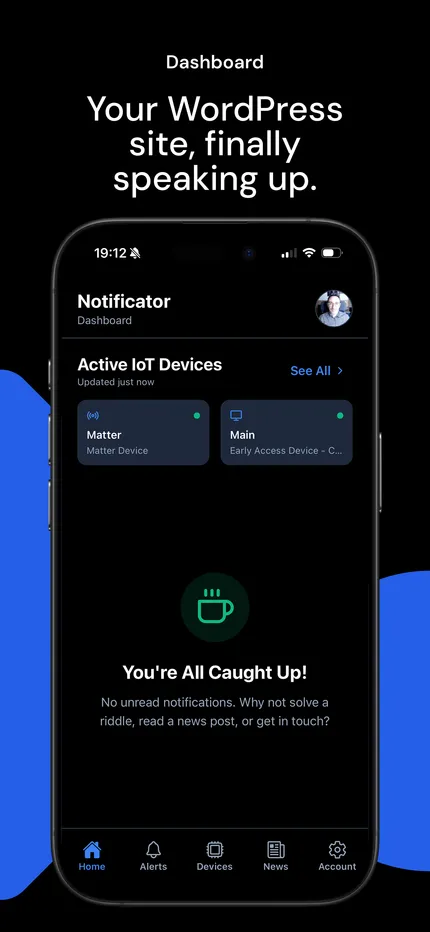
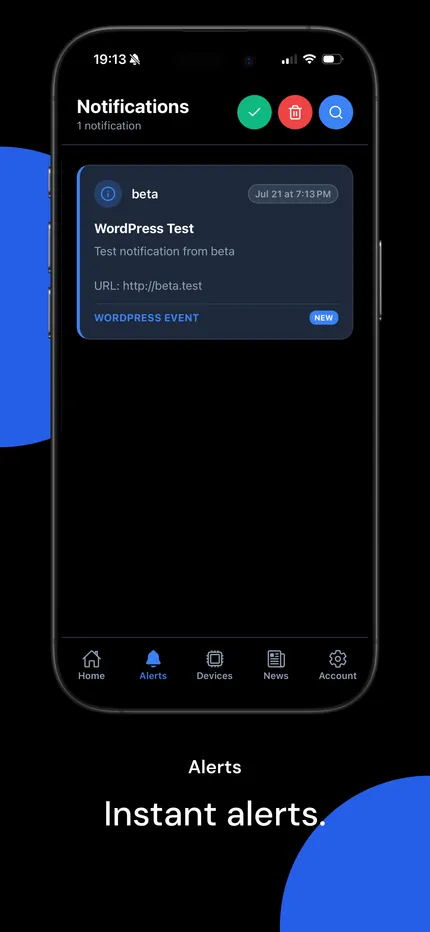
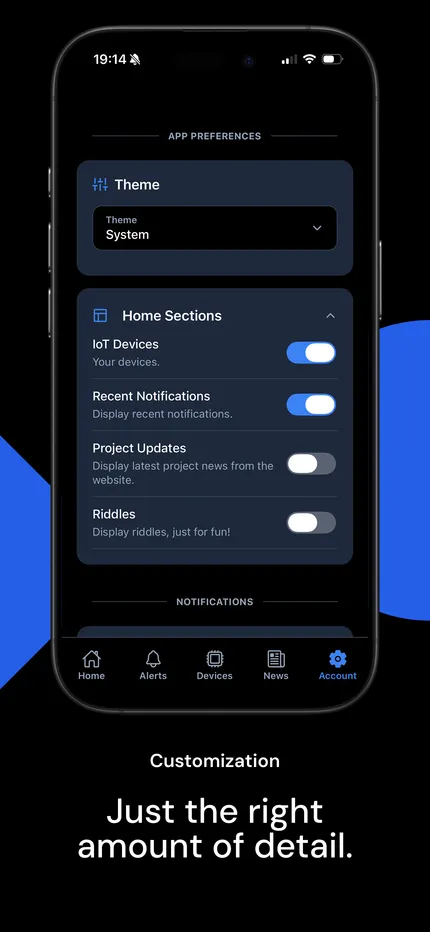
Screens shown from the iOS App Store submission. Android presentation may vary slightly by device.
Getting connected
From account to first mobile alert.
Dashboard notifications continue to work locally. These steps are only needed when you want remote delivery such as mobile push or email alerts.
- 01
Create your account
Create an account in the mobile app or web dashboard. Sign in to either with the same credentials to connect your sites and devices.
- 02
Connect an integration
Create the matching API key for WordPress or Strapi, add it to the integration, and keep the key active for remote delivery.
- 03
Enable mobile delivery
Choose mobile push for the notifications that deserve your attention, then enable email alerts in app settings if you also want account notifications in your inbox.
- 04
Receive and review
Open an alert on your phone and use its title, message, priority, and event details to understand what happened.
You stay in control
Only send an event to your phone when it belongs there.
Mobile push is selected per notification inside WordPress. Email delivery is an account preference in the app or web dashboard, so you can enable or disable inbox alerts without changing each WordPress event. An event can remain dashboard-only, use remote delivery, reach a device, or combine those destinations.
See the complete notification workflow → New order received
Deliver this notification to
WordPress dashboardEnabled
Mobile appEnabled
MQTT devicesOff
Privacy and permissions
Clear controls for notifications and account data.
Your phone controls whether Notificator may display notifications. You can also disable mobile delivery for individual WordPress notifications or deactivate an API key. Weather place search does not request continuous phone location, and MQTT credentials remain unsaved until you explicitly save them.