
Building a Notificator Device Just Got Easier
A major firmware and website update introduces local HiveMQ setup, signed OTA releases, improved device interactions, and a browser-based installer for compatible ESP32 hardware.
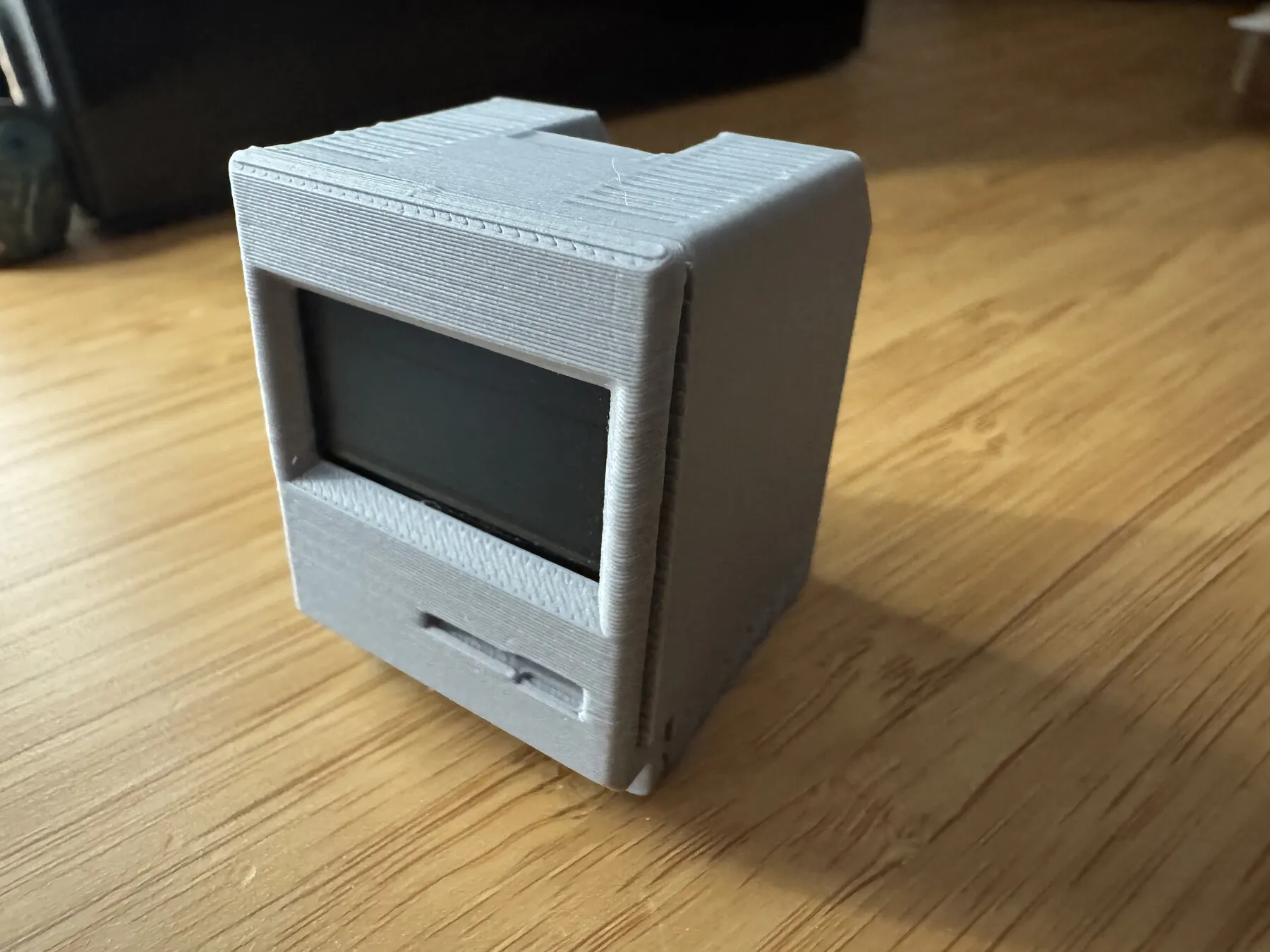
The physical side of Notificator has received one of its largest updates so far. We have reorganised the firmware, improved the screens and touch controls, strengthened the update process, and made it much easier for someone to turn compatible ESP32 hardware into a Notificator device.
This work also brings the firmware into its new public home: the Notificator IoT Firmware repository.
A clearer firmware foundation
The current reference model is now called Notificator Base. It uses:
- An ESP32-C3 SuperMini
- A 128 × 64 SSD1306 OLED
- A TTP223 capacitive touch sensor
- A user-owned HiveMQ Cloud connection
The repository separates firmware models, hardware references, release configuration, setup-portal presentation, and OTA security code. This gives the Base model a clear identity while leaving room for future options such as Matter, portable displays, printers, and other community-built devices.
The source now includes stronger documentation around wiring, MQTT topics, stored configuration, external requests, touch behaviour, memory limits, and release validation.
Better screens and touch controls
Notificator Base is designed around one small screen and one capacitive control, so every interaction needs to be understandable without a manual in front of you.
The updated firmware improves:
- Connection and unread status information
- Notification position and pagination
- Long titles and message detail layouts
- Read and unread confirmation screens
- Device, firmware, Wi-Fi, and MQTT information
- OTA progress and failure feedback
Single, double, and triple taps now have distinct jobs. Hold actions can mark notifications as read or open the local setup portal, while destructive history deletion remains outside the touch interface.
Bring your own HiveMQ connection
Notificator does not operate a shared default MQTT broker. Device owners connect their own HiveMQ Cloud cluster using credentials stored locally on the ESP32 and in their WordPress installation.
The setup portal now presents Wi-Fi, HiveMQ, and advanced network settings more clearly. Passwords are not echoed back into the form, and new installations use notificator-project as the default topic prefix.
HiveMQ Cloud currently offers a Serverless option suitable for testing and small personal setups, subject to HiveMQ’s own limits and terms.
Signed updates after the first installation
The Base firmware now uses a dual-slot layout for reliable application updates. Official OTA releases are downloaded over HTTPS and accepted only after the device verifies their model, board, version, image size, SHA-256 digest, and ECDSA signature.
The private signing key never exists on the device or in the public repository. Each device contains only the public verification key it needs to authenticate an official release.
A complete USB installation is still required for a blank device or one using an older partition layout. After that first migration, normal updates can use the signed OTA flow.
Install firmware from the browser
That first USB installation no longer needs Arduino IDE.
The new firmware web installer uses ESP Web Tools to flash a complete factory image from Chrome or Edge on a desktop computer. Connect a compatible board with a USB data cable, choose the matching firmware, and follow the browser prompt.
The installer uses a release catalog rather than a hard-coded single download. Notificator Base is the first available choice, and future firmware models can be added independently with their own board details and manifests.
For safety, a browser installation starts clean and erases saved Wi-Fi and MQTT settings. The device opens its local setup portal after restart so those details can be entered again.
The installer will be available in two places:
- The standalone installer published with the firmware repository
- The new firmware installer page on the Notificator website
Both use the same official catalog and factory image, so there is only one release source to maintain.
Website and project updates
The website now gives physical devices a clearer path from curiosity to a working build. The Devices, Build a device, Support, Credits, homepage, footer, and machine-readable project information have all been updated to point to the new firmware repository and installer.
The build guide continues to cover the ESP32-C3 hardware, OLED and capacitive wiring, 3D printing, community batches, enclosure licensing, and the sustainability choices behind the devices we have assembled and shared.
We also kept accessibility in the installation flow. The new pages use semantic controls, visible focus states, readable contrast, responsive layouts, reduced-motion preferences, and a clear fallback when the browser cannot access a USB device.
What comes next
The website and firmware changes are the foundation for the next test cycle. The next steps are to deploy the related API changes, build a new mobile app version, and test the complete journey from a WordPress event to the phone and a freshly installed Notificator device.
This is still a free and open-source community project. If you build a device, adapt the firmware, find a problem, or have an idea for another compatible model, we would love to hear about it.
Community discussion
Continue the conversation.